

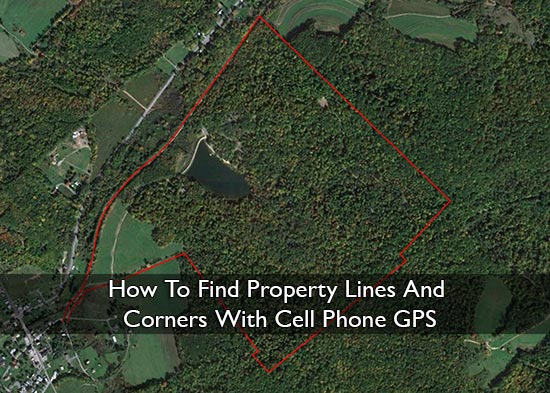
How To Find Property Lines And Corners With Cell Phone GPS
Make sure to like Living Green and Frugally on Facebook, Shop at Amazon to help support my site and explore our PINTEREST BOARDS for innovative ways you can become self-sufficient.
How To Find Property Lines And Corners With Cell Phone GPS
Have you ever stood in your garden, field, driveway, woodland, or backyard and wondered, “Where does my property actually end?”
You are not alone.
Property lines can be confusing. Old fences are not always correct. Hedges move and spread over time. Neighbours often assume a boundary is in one place when the legal line may be somewhere else. And if you have bought an older home, inherited land, or started homesteading, you may have no idea where the real corners are.
The good news is that your cell phone can help you get a much better idea of where your property lines and corners may be.
The important part is this:
Your phone GPS can help you find approximate property lines, but it does not replace a legal land survey.
That means it is useful for walking your land, finding possible corner markers, checking old fence lines, planning a garden, or understanding your property layout. But if you are building a fence, putting up a structure, selling land, buying land, or dealing with a neighbour dispute, you should always hire a licensed surveyor.
Use your phone as a guide. Use a surveyor for proof.
Important Disclaimer Before You Start
This article is for general guidance only. A cell phone GPS app can help you find approximate property lines and corners, but it should not be used as legal proof of a boundary.
Phone GPS accuracy can vary depending on trees, buildings, weather, signal quality, satellite coverage, your device, and the app you are using.
If you are planning to build a fence, install a shed, clear land, sell land, buy land, or settle a disagreement with a neighbour, hire a licensed land surveyor before doing anything permanent.
Why Finding Your Property Lines Matters 🏡
Knowing your property boundaries can save you money, stress, and awkward arguments later.
Finding your property lines can help when you are:
- Planning a new fence
- Planting trees, hedges, or privacy shrubs
- Building a shed, greenhouse, barn, or chicken coop
- Clearing brush or woodland
- Installing a driveway or path
- Buying or selling land
- Checking if a neighbour’s fence is too close
- Looking for old corner markers
- Managing a homestead, garden, or rural property
- Understanding exactly what land belongs to you
Even if you have lived somewhere for years, the boundary may not be where you think it is. A fence, wall, ditch, or hedge can be close to a boundary without being the actual legal line.
That is where GPS apps can be helpful.
Can A Cell Phone Really Find Property Lines?
Yes, but only approximately.
Your phone uses GPS and location services to estimate where you are. When combined with a property line app, parcel map, survey plan, or GPS coordinates, it can help you walk close to your boundary.
But your phone is not a survey tool.
In open areas, phone GPS can be fairly useful. Under trees, near buildings, beside metal structures, in valleys, or in poor signal areas, it can become less accurate.
So the smart way to use it is this:
Use your phone to investigate. Use documents and physical markers to compare. Use a surveyor to confirm.
What You Need Before You Start
Before walking your property, gather as much information as possible.
You may need:
- Your property deed
- A survey map or plat map
- A parcel map from your local records office
- Your parcel number or property reference number
- A mobile phone with GPS
- A property line or mapping app
- Temporary marker flags or stakes
- A notebook
- A tape measure
- A metal detector if searching for old iron pins
- Good shoes or boots if walking rough land
The more information you have before you start, the more useful your phone GPS will be.
Helpful Apps And Tools For Finding Property Lines 📱
Different apps do different things. Some are made specifically for parcel boundaries. Others are better for walking land, using offline maps, or saving waypoints.
Here are some useful options.
1. LandGlide
Website: https://landglide.com/
LandGlide is one of the most popular property line apps. It uses GPS and parcel data to help you view property lines on a map.
Best for:
- Viewing parcel boundaries
- Checking property information
- Walking around land with GPS
- Getting a quick visual idea of where a boundary may be
This is a good option if you want something simple and property-focused.
Important note: LandGlide’s own support information says property lines are for reference only and are not intended to represent actual surveyed property lines.
2. onX Hunt
Website: https://www.onxmaps.com/hunt/app
onX Hunt is popular with hunters, hikers, rural landowners, and people who spend time outdoors. It includes land ownership maps, private land boundaries, GPS tools, waypoints, and offline map options.
Best for:
- Rural land
- Woodland
- Farms
- Hunting land
- Large properties
- Poor signal areas
- Saving waypoints and tracks
Even if you are not a hunter, onX can be useful because it focuses heavily on land access, property boundaries, and outdoor navigation.
3. Regrid Property App
Website: https://regrid.com/property-app
Regrid is a property mapping app that lets users explore parcel boundaries and property information. It is especially useful for users in the U.S. and Canada.
Best for:
- Looking up parcel boundaries
- Researching property data
- Checking lot size
- Comparing nearby properties
- Viewing parcel information
This can be useful if you want to research not only your own land, but also surrounding properties.
4. Gaia GPS
Website: https://www.gaiagps.com/
Gaia GPS is more of an outdoor navigation app than a property line app, but it is still useful if you have a larger property, woodland, fields, or trails to walk.
Best for:
- Offline maps
- Walking large properties
- Tracking where you have walked
- Dropping waypoints
- Exploring woodland or rough land
Gaia GPS is a good choice if your property is not just a small garden and you want better outdoor navigation.
5. Avenza Maps
Website: https://www.avenza.com/avenza-maps/
Avenza Maps lets you use offline maps with GPS. It is often used for fieldwork, hiking, mapping, land management, and outdoor projects.
Best for:
- Offline map use
- Custom maps
- Field notes
- GPS use without phone signal
- Exporting location data
This can be useful if you have a map file you want to use while walking your land.
6. Google Earth
Website: https://www.google.com/earth/versions/
Google Earth is useful for looking at your property from above before you go outside. It is not a legal property line tool, but it can help you understand the shape of your land and compare features like fences, tree lines, buildings, roads, ditches, and driveways.
Best for:
- Viewing satellite images
- Checking old aerial imagery
- Looking at land shape
- Comparing fences and buildings
- Planning where to walk
Google Earth Pro on desktop can also be useful if you want more advanced mapping features.
7. ExpertGPS
Website: https://www.expertgps.com/
ExpertGPS is desktop GPS mapping software. It can be useful if you are working with coordinates, waypoints, GPX files, maps, or handheld GPS data.
Best for:
- Entering GPS coordinates
- Working with waypoints
- Using a handheld GPS device
- Viewing tracks over maps
- Planning before walking the land
This is more advanced than a simple phone app, but it can be useful for larger properties or people who already have GPS data.
Which App Should You Use?
If you want a simple property line app, try LandGlide or Regrid.
If you have rural land, woodland, hunting land, or a larger property, try onX Hunt or Gaia GPS.
If you need offline field maps, try Avenza Maps.
If you want to look at satellite images and compare land features from above, use Google Earth.
If you have GPS coordinates, waypoints, or a handheld GPS device, ExpertGPS may be helpful.
For the best result, use more than one source. Compare your app, parcel map, deed, survey plan, and physical markers on the ground.
Step 1: Find Your Property Documents
Start with your deed, title documents, survey, or plat map.
These documents may include:
- Lot number
- Parcel number
- Property measurements
- Road frontage
- Bearings and distances
- Corner descriptions
- Iron pins or marker notes
- Old fence or wall references
- Easements or right-of-way details
A survey map is usually more useful than a basic online parcel map. If you already have a professional survey, start there first.
Step 2: Check Your Local Parcel Map
Many counties, councils, or land records offices have online parcel maps. These may show the rough outline of your property.
Search online for terms like:
- County parcel viewer
- GIS property map
- Tax parcel map
- Land records map
- Property boundary map
- Local land registry map
- Assessor parcel map
Enter your address or parcel number and look at the shape of your property.
Important: parcel maps are often used for tax and reference purposes. They may not be exact enough for legal boundary decisions.
Step 3: Look For Existing Boundary Markers
Before relying only on GPS, walk around and look for old markers.
You may find:
- Iron pins
- Metal rods
- Concrete markers
- Wooden posts
- Stone piles
- Old fence corners
- Survey stakes
- Boundary trees
- Ditches
- Walls
- Hedges
- Old wire fencing
A metal detector can sometimes help locate buried iron pins.
Do not move or disturb any marker you find. Take photos, note the location, and compare it with your documents and app.
Step 4: Add Property Corners Into Your GPS App
If your documents include GPS coordinates, you can enter them into a GPS app as waypoints.
A waypoint is a saved location.
You might label them like this:
- Front left corner
- Front right corner
- Back right corner
- Back left corner
- Old fence corner
- Possible iron pin
- Driveway boundary point
If you are using mapping software like ExpertGPS, you may be able to create waypoints on your computer, export them as a GPX file, then open them on your phone.
Step 5: Walk To Each Corner Slowly
Once your app is set up, go outside and let your phone settle for a minute or two before trusting the location dot.
Then walk slowly toward the first estimated corner.
For better accuracy:
- Stand in an open area if possible
- Avoid thick trees
- Avoid standing right beside buildings
- Keep away from metal structures
- Wait for the GPS location to settle
- Check the same point more than once
- Approach from different directions
- Compare the phone location with physical clues
When you reach the estimated corner, mark it temporarily with a flag, stick, or small marker.
Do not install permanent boundary markers unless you are sure and legally allowed to do so.
Step 6: Walk The Line Between Corners
Once you have estimated the corners, walk between them.
Look for clues along the way:
- Old fence lines
- Straight rows of trees
- Ditches or banks
- Stone walls
- Hedge lines
- Posts
- Mowing changes
- Driveway edges
- Utility poles
- Neighbouring structures
Sometimes the land gives you clues. An old fence, ditch, or line of mature trees may match what your map shows. But remember, those features are not always the legal boundary.
Step 7: Compare Everything Together
The best method is not to trust just one thing.
Compare:
- Your deed
- Your survey map
- Your local parcel map
- Your GPS app
- Satellite images
- Old physical markers
- Fence lines
- Neighbouring features
If everything lines up closely, you probably have a good rough idea of your property lines.
If the map, app, fence, and physical markers all disagree, that is a sign you may need a professional surveyor.
Tips For Better GPS Accuracy 📍
Your phone’s GPS can vary depending on the area and conditions.
Use these tips for better results:
- Use GPS in open sky conditions
- Avoid heavy tree cover
- Avoid buildings and bridges
- Turn on high accuracy location settings
- Let your phone settle before marking a spot
- Use more than one app
- Check the same point on different days
- Save screenshots
- Take photos of markers
- Write notes as you walk
- Compare everything with your documents
Do not rush this process. Walking property lines properly takes time.
Common Mistakes To Avoid
The biggest mistake is assuming your phone’s blue dot is exact.
Avoid these mistakes:
- Building a fence based only on a phone app
- Trusting a parcel map as legal proof
- Ignoring old survey markers
- Moving boundary pins yourself
- Starting a neighbour dispute without proof
- Forgetting about easements
- Using one quick GPS reading
- Assuming an old fence is the true boundary
- Not checking your deed
- Not hiring a surveyor when accuracy matters
A phone app is useful, but it can also give you false confidence if you use it the wrong way.
When You Should Hire A Surveyor
A licensed surveyor is worth the money when the boundary really matters.
Hire a surveyor if:
- You are building a fence
- You are building near the boundary
- You are putting up a shed, garage, barn, or extension
- You are buying land
- You are selling land
- Your neighbour disagrees with the boundary
- A fence looks like it may be in the wrong place
- You cannot find corner markers
- Your documents and GPS do not match
- The land is valuable
- There is any risk of a legal dispute
A surveyor can locate the true legal boundary and provide proper documentation.
That can save you from expensive mistakes later.
Is Cell Phone GPS Good Enough For Property Lines?
For rough guidance, yes.
For legal accuracy, no.
Your phone can help you understand your land, walk your boundary, find possible old markers, and compare your property with online maps.
But it cannot replace a professional survey.
The best way to think about it is:
Your phone can help you get close. A surveyor can tell you what is legally correct.
Frequently Asked Questions
Can I find my property lines with my phone?
Yes, you can use your phone to estimate where your property lines may be. Use a property line app, parcel map, GPS coordinates, or survey plan. But treat it as an estimate, not legal proof.
What is the best app for finding property lines?
Popular options include LandGlide, Regrid, onX Hunt, Gaia GPS, Avenza Maps, Google Earth, and ExpertGPS. The best app depends on whether you want parcel boundaries, offline maps, waypoints, or satellite views.
Is phone GPS accurate enough to build a fence?
No, not usually. If the fence is going close to the legal boundary, hire a licensed surveyor first. A phone can be off by several feet, which can create problems with neighbours.
Can Google Maps show property lines?
Google Maps may show some boundary information in some places, but it is not designed as a legal property line tool. Use it for general reference only.
Can Google Earth help me find my boundary?
Yes, Google Earth can help you look at your property from above. It can show fences, tree lines, buildings, roads, and land features. But it should not be used as legal proof of a boundary.
Are property line apps accurate?
They can be useful, but they are not perfect. Many apps use parcel data, GPS, and public records. These can be helpful for reference, but only a licensed survey can confirm the legal boundary.
Can I use my phone to find property corners?
Yes, if you have coordinates or a map with corner points, you can use a GPS app to walk close to those locations. Then look for physical markers like iron pins, posts, stones, or old survey markers.
What if my neighbour’s fence is over the line?
Do not rely only on your phone app. Check your documents, look for survey markers, and hire a licensed surveyor before making a claim or starting a dispute.
Can I mark my own property corners?
You can temporarily mark estimated points with flags or stakes for your own reference. Do not move official markers or install permanent boundary markers unless you know it is legal and correct.
Are online parcel maps always accurate?
No. Online parcel maps are helpful, but they may be shifted or slightly wrong. They are often used for reference, not exact legal boundary decisions.
Final Thoughts
Finding your property lines with cell phone GPS can be incredibly useful if you want to understand your land better.
It can help you walk your boundary, look for old markers, compare maps, plan projects, and get a clearer idea of what belongs to you.
But the golden rule is simple:
Use your phone as a guide, not as legal proof.
If you are just exploring, planning, or learning about your land, a GPS app can be a brilliant tool.
If you are building, fencing, buying, selling, or disputing a boundary, hire a licensed surveyor.
That one step could save you from a very expensive mistake later.